
Managing Services
Services are what customers book. This guide covers your service catalogue — creating services, keeping them current, and taking them off sale without losing them.
The Service Management page
Section titled “The Service Management page”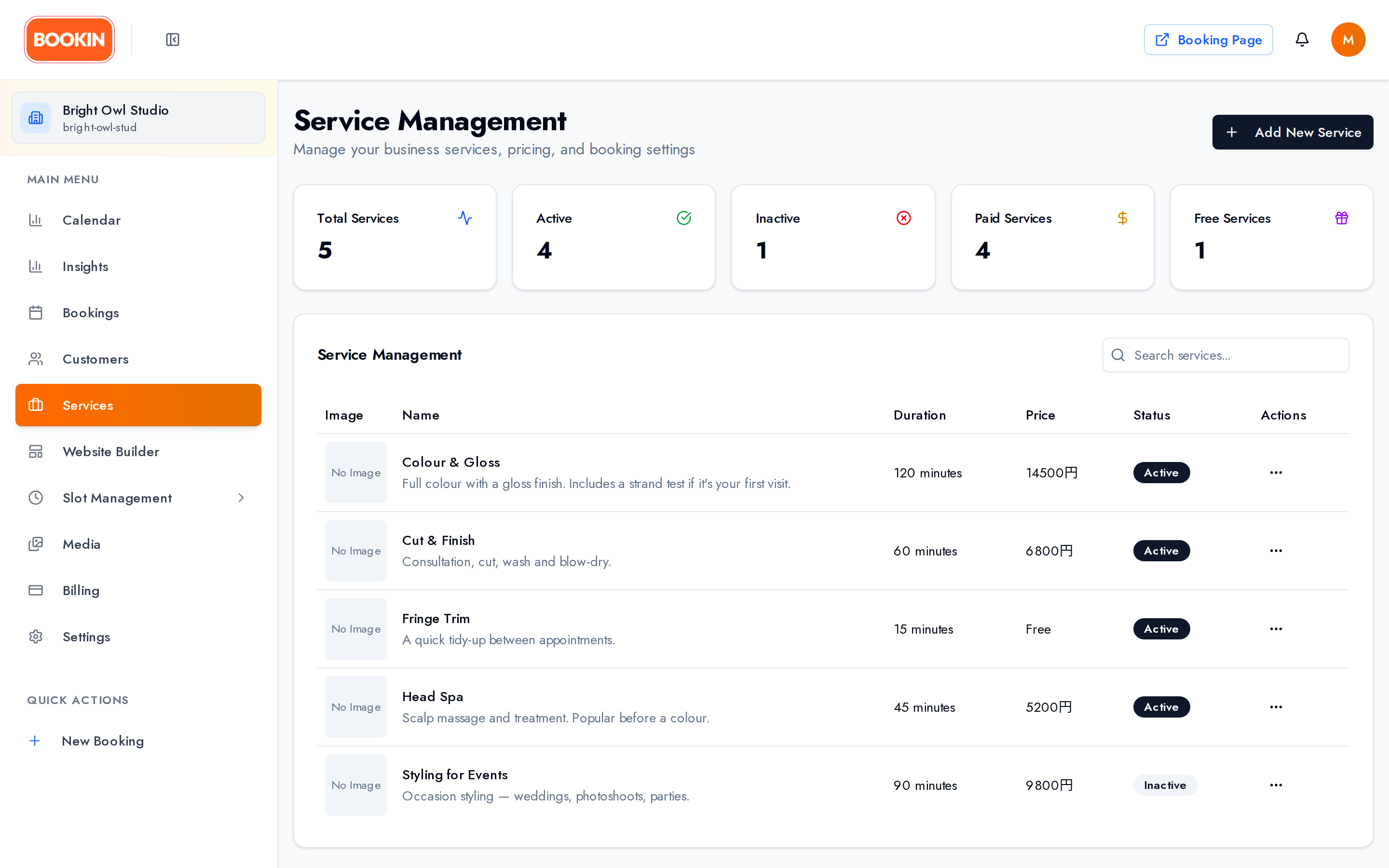
Five cards across the top: Total Services, Active, Inactive, Paid Services and Free Services.
Below that, a searchable table, ten per page: Name, Duration, Price (shown as Free when no price is set), Status, and Actions — Edit, Activate / Deactivate, and Delete.
Creating a service
Section titled “Creating a service”Click Add New Service. The form has three sections.
Basic Information
Section titled “Basic Information”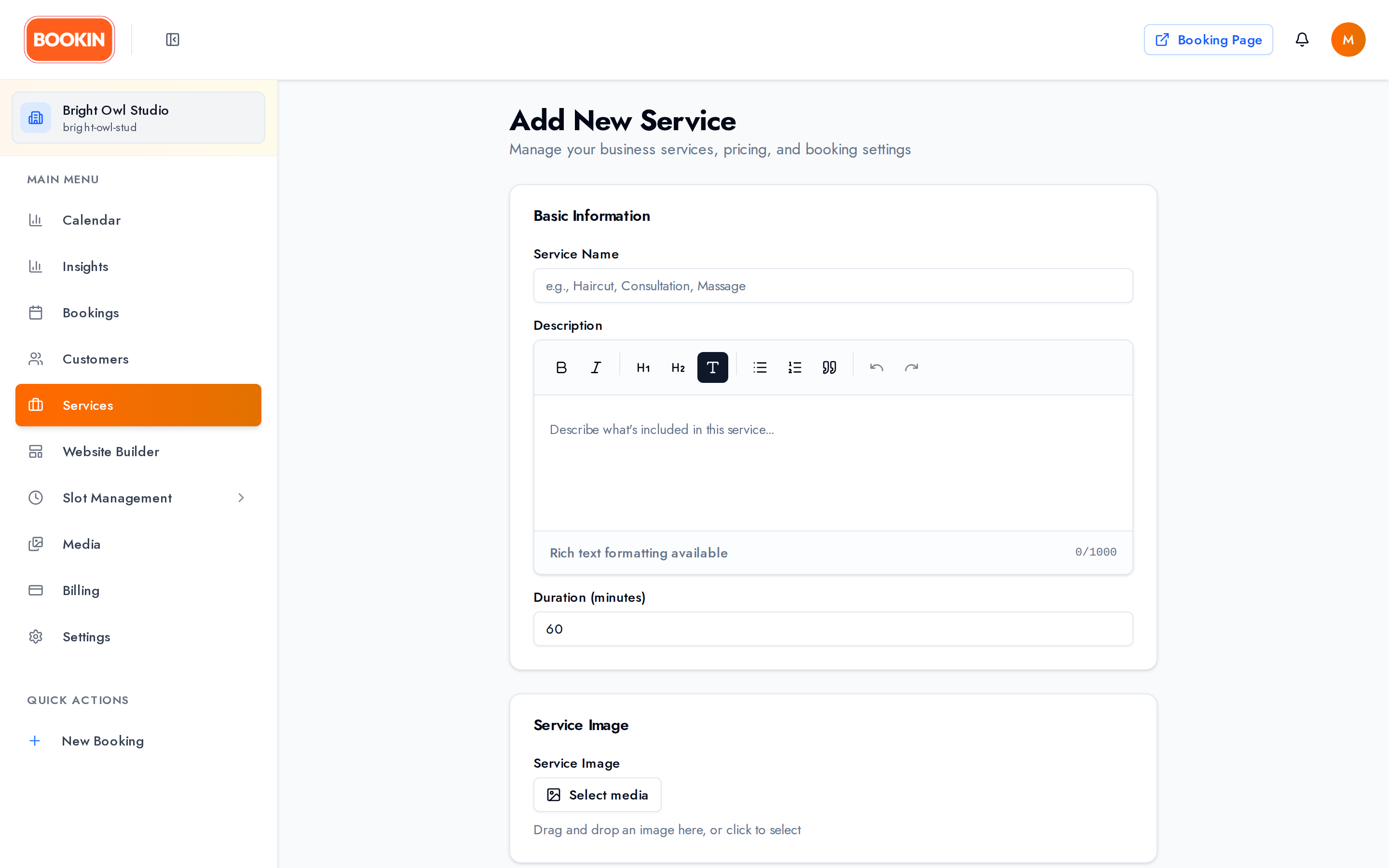
- Name — what customers see. Keep it recognisable: Haircut, Consultation, Massage.
- Description — rich text. What’s included, what to expect, anything they should bring.
- Duration (minutes) — anything from 1 minute to 24 hours. This is what reserves time in your calendar, so include setup and cleanup if you need them.
Pricing & Currency
Section titled “Pricing & Currency”Set a price and its currency. Leave the price empty to make the service free — there’s no separate free toggle; an empty price is free, and the table shows it as Free.
Service Image
Section titled “Service Image”Choosing an image opens your Media Library, where you can pick something you’ve already uploaded or add a new file. Then crop it to fit.
Images are up to 5 MB — PNG, JPG or GIF.
Booking Settings
Section titled “Booking Settings”Service Active decides whether customers can book it. “Only active services can be booked by customers.”
Save, and the service is live.
Editing a service
Section titled “Editing a service”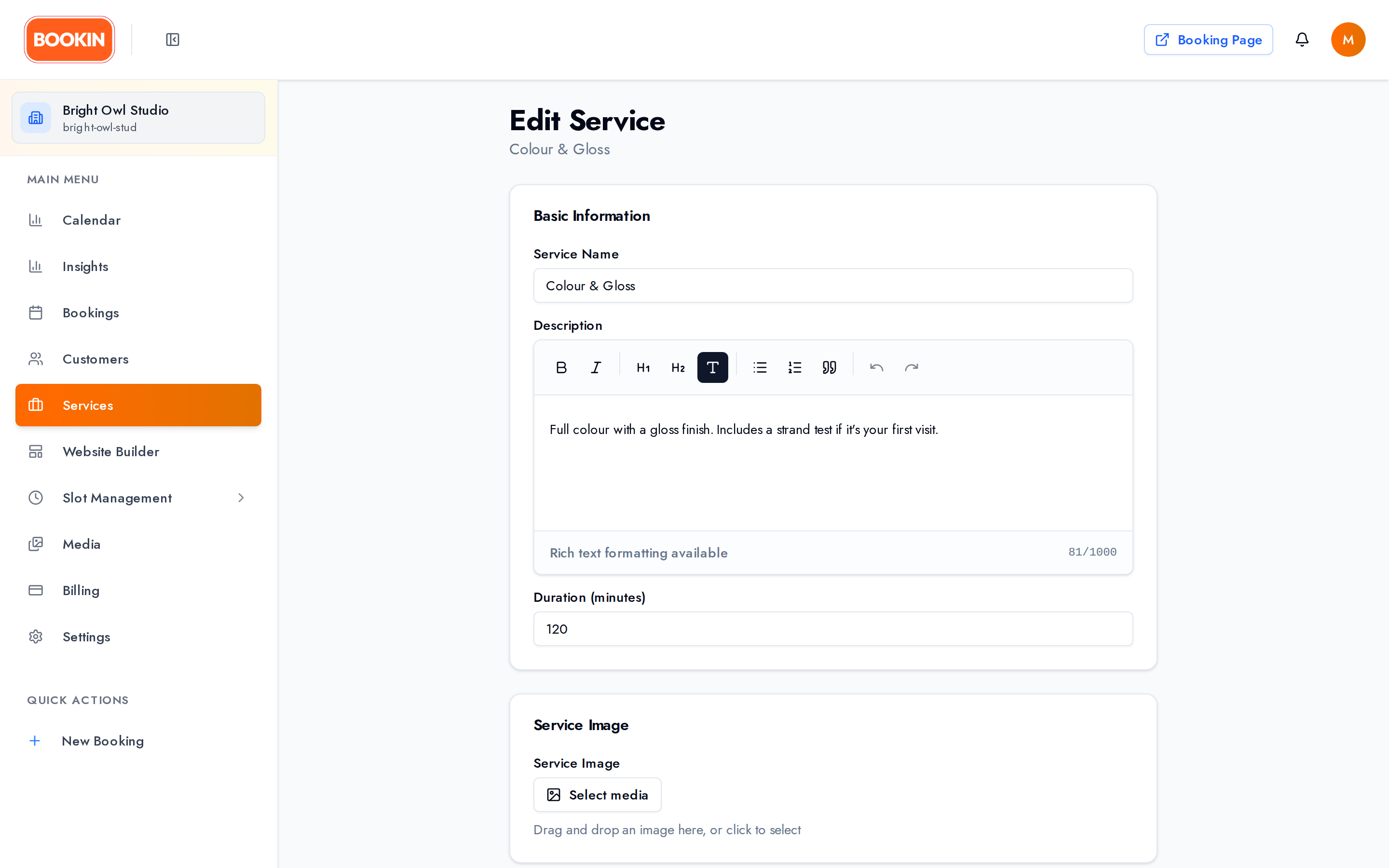
Click Edit on any row and change whatever you need — name, description, duration, price, image, or active status.
Deleting a service
Section titled “Deleting a service”Delete is permanent, so it asks you to type the word delete to confirm.
If you only want to stop taking bookings, deactivate instead — you keep the service and its history.
Service limits
Section titled “Service limits”Your plan caps how many services you can have: 3 on Free, 10 on Starter, 20 on Pro, unlimited on Enterprise.
At the cap, Add New Service is disabled and reads Limit Reached, with a banner explaining the limit and an upgrade link. Deactivating a service doesn’t free a slot — deleting does.
See Billing & Pricing for the full table.
Writing services that sell
Section titled “Writing services that sell”Names — say what it is, in the customer’s words. Deep Tissue Massage (60 min) beats Treatment B.
Descriptions — cover what’s included, what to expect, anything they need to bring or do beforehand, and who it suits.
Duration — be honest. An optimistic duration doesn’t make your day fit; it makes you late.
Pricing — no hidden extras. What they see is what they’ll be charged.
Separate services beat one vague one. If a 30-minute and 60-minute version differ in price, make them two services so the calendar reserves the right amount of time.
Next Steps
Section titled “Next Steps”- Set up business hours - Configure when services can be booked
- Learn about creating appointments - Book services for customers
- Explore settings - Configure your business profile
Related Guides
Section titled “Related Guides”- Creating Appointments - Book services for customers
- Business Hours & Time Slots - Set availability for services
- Settings & Configuration - Configure your business profile