Notifications & Reminders
BOOKIN sends messages on your behalf. This page lists every one of them, so nothing your customers receive is a surprise to you.
What your customers receive
Section titled “What your customers receive”| When | Message | Notes |
|---|---|---|
| They book | Booking Request Received | Booking code and details. This is a receipt, not a confirmation |
| During booking | Email Verification Code | Six digits, expires in 10 minutes |
| You confirm, complete or change | Appointment Status Updated | |
| Anyone cancels | Appointment Cancelled | Wording differs depending on who cancelled, and includes your cancellation reason |
| A week, a day, and 3 hours before | Appointment reminder | Email, and LINE where connected |
| You add a note to their appointment | Note Added to Your Appointment | Includes the note text and category |
Reminders
Section titled “Reminders”Reminders go out roughly one week, one day, and three hours before an appointment, and each window sends only once. Cancelled, completed and no-show bookings are skipped — another reason to keep statuses accurate.
Email reminders go to your customers on every plan, including Free — they aren’t something you switch on. Reminders as LINE messages need LINE connected, which does require Starter or above.
What you receive
Section titled “What you receive”| When | Message |
|---|---|
| A new booking arrives | New Appointment: {customer} |
| A booking’s status changes | Appointment Status Updated: {customer} |
| You invite someone | They get an Accept Invitation email |
| You request a password reset | Password Reset Request — the link is valid for 1 hour |
| A custom domain verifies, fails, goes down or recovers | Domain status emails |
These arrive in your dashboard bell and, depending on your provider settings, by email, Slack, Discord or LINE.
Categories
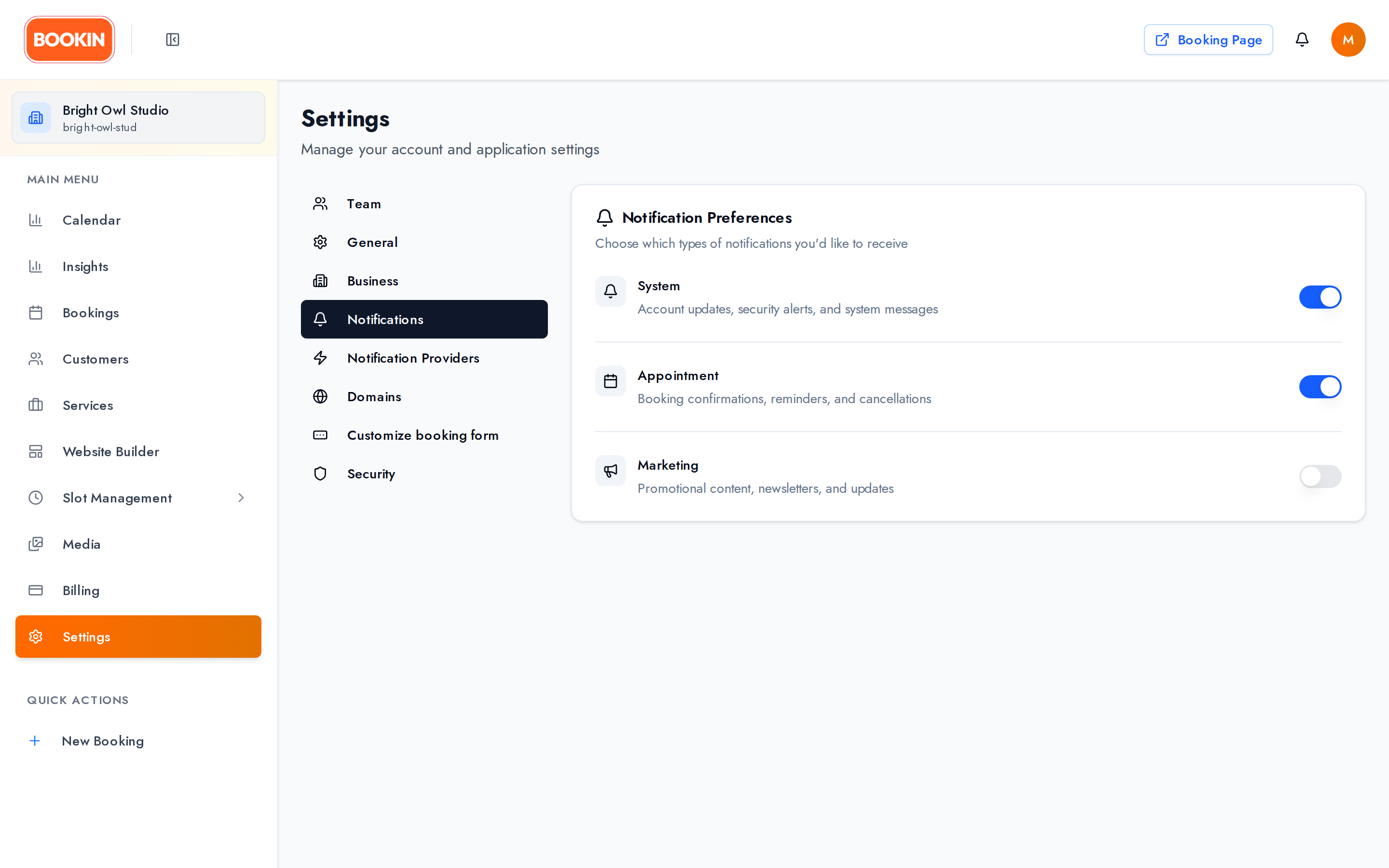
Section titled “Categories”Settings → Notifications has three switches:
- System — platform and account messages
- Appointment — bookings, changes, cancellations
- Marketing — product news
They apply across every channel at once. Turning off Appointment doesn’t stop your customers getting their emails — it stops you being notified.
Channels
Section titled “Channels”| Channel | Setup | Plan |
|---|---|---|
| Dashboard | On by default | All plans |
| Enable or disable | Starter+ | |
| Slack | Webhook URL, default channel, avatar | Starter+ |
| Discord | Webhook URL, default channel, avatar | Starter+ |
| LINE | Connect via LINE Login | Starter+ |
Slack and Discord validate the webhook format and provide a Test button. Use it — a webhook that was revoked fails silently otherwise.
Email delivery is configured centrally by BOOKIN, so you get an on/off switch rather than mail server settings.
For LINE, you must add the LINE Official Account as a friend to receive messages.
Cutting no-shows
Section titled “Cutting no-shows”- Confirm quickly. An unconfirmed booking feels provisional to the customer.
- Collect email addresses for every booking, including ones you create — no email means no reminders.
- Offer LINE reminders to customers who prefer it.
- Mark no-shows honestly so Insights shows you the real rate and its pattern.
Related Guides
Section titled “Related Guides”- Settings & Configuration - Where to configure all of this
- Managing Appointments - Statuses that trigger messages
- Managing Customers - Notes and what reaches the customer
- Insights - Measuring the effect